TradeSpeakeasy
Home About Courses
Home About Courses
Important
Discord Username ≠ Discord ID
Enter your Discord User ID (a long number), not your username.
View Guide

How To Enable Developer Mode

In order to be able to copy an ID number, you need to have Developer Mode enabled. Here’s how.

Desktop

  1. Tap on the cogwheel [⚙] in the bottom-left corner of the desktop app to open up your User Settings.
  2. Then head to Advanced.
  3. Now, tap on the main toggle next to Developer Mode to enable. A “checkmark” means it’s enabled, while an “x” means it’s disabled.
Desktop Developer Mode
Desktop: Open User Settings > Advanced and toggle on Developer Mode

Mobile

  1. Tap on your Avatar in the bottom-right corner.
  2. Next, tap on the cogwheel [⚙] in the top-right corner.
  3. Now, scroll down until you see Advanced under App Settings.
  4. Finally, tap on the toggle next to Developer Mode. A “checkmark” means it’s enabled, while an “x” means it’s disabled.
Mobile Developer Mode
Mobile: Open Settings > Advanced and toggle on Developer Mode

Now that you can see ID numbers, let’s go over how to find each type.

How To Find A User ID Number

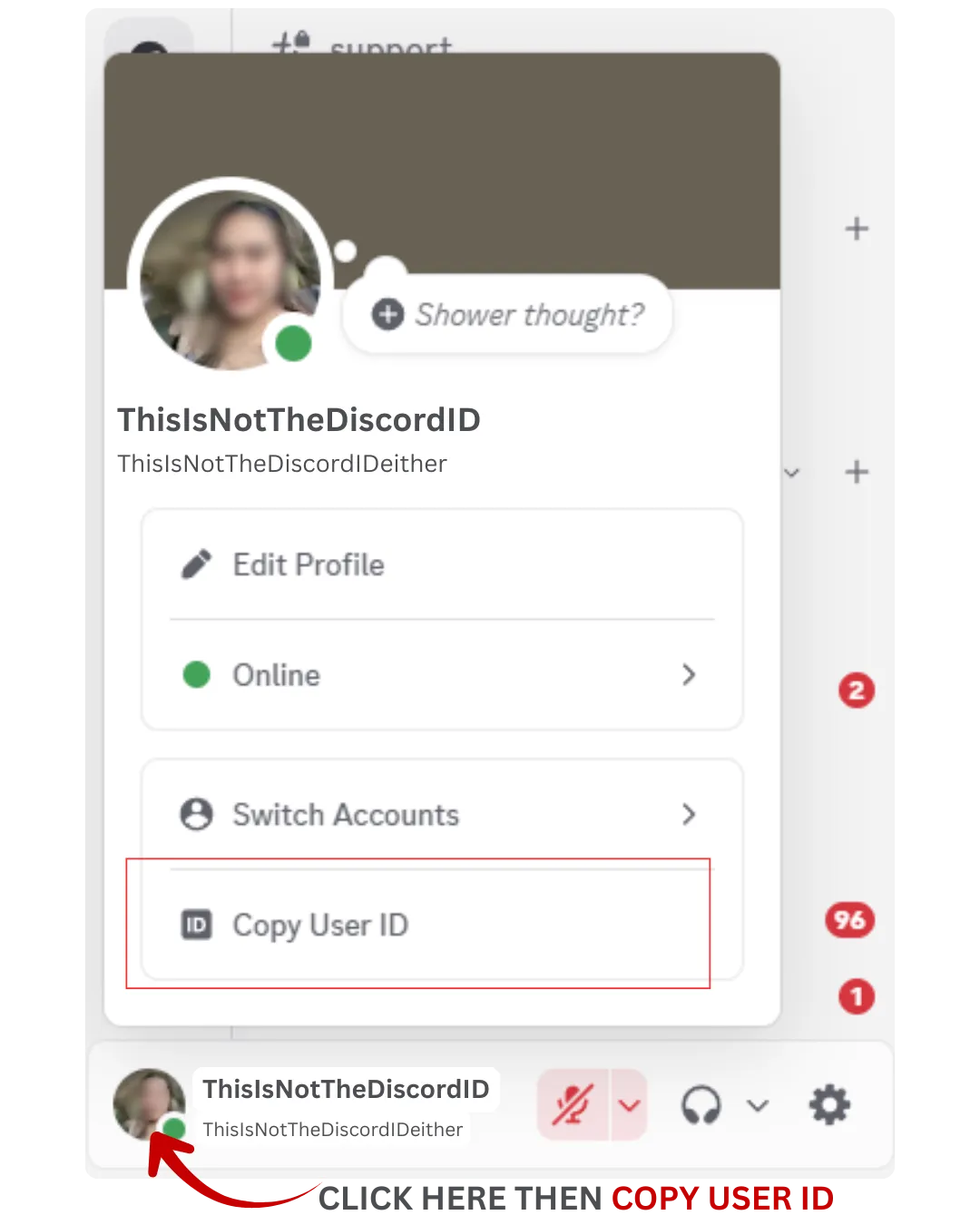
You can also copy the user ID from a server, group chat, or direct message with a user.

Desktop

  1. Navigate to where you want to copy the user ID from.
  2. Next, right-click on the user and tap on Copy User ID.
  3. After copying the user ID you can then paste it where needed.
Desktop Copy User ID
Desktop: Right-click a user to find Copy User ID

Mobile

  1. Navigate to where you want to copy the user ID from.
  2. Tap on the user and then tap on the ellipsis (•••) in the top-right corner.
  3. Next, tap on Copy User ID.
  4. After copying the user ID you can then paste it where needed.
Mobile Copy User ID
Mobile: Tap a user to find Copy User ID
General InformationnKey Information
Your InfoOrder Information
We Respect Your Privacy & Information.
TradeSpeakeasy

Become a pro trader
with TradeSpeakeasy

Join TradeSpeakeasy’s modern learning community and unlock repeatable routines for consistent trading. Access structured courses, strategy explainers, and a supportive chat where questions actually get answered.

Whether you trade indices, crypto, or FX, you’ll find clear frameworks, risk management guidance, and practical examples you can apply the same day.

A reliable community &
platform is essential

Trading can be overwhelming alone. TradeSpeakeasy blends education with community so you can get feedback, avoid common mistakes, and reduce uncertainty.

  • Friendly risk-first approach
  • Refillable demo setups to practice safely
  • Multiple asset classes & styles
  • Web + mobile access
  • Quick-start guides and support

Learn trading with an
easy-to-use program

Beginners get a clear start: fundamentals, platforms, and risk rules. Intermediates refine entries, exits, and trade management with live reviews.

Everything is organized into short, watchable segments you can apply quickly. You’ll never feel lost, and you’ll always know how to improve your next trade.

COMPANY

  • Home
  • About
  • Courses

LEGAL

  • Privacy Policy
  • Terms of Use
  • Cookie Policy
© 2025 Trade Speakeasy. All rights reserved.
TRADE
SPEAKEASY